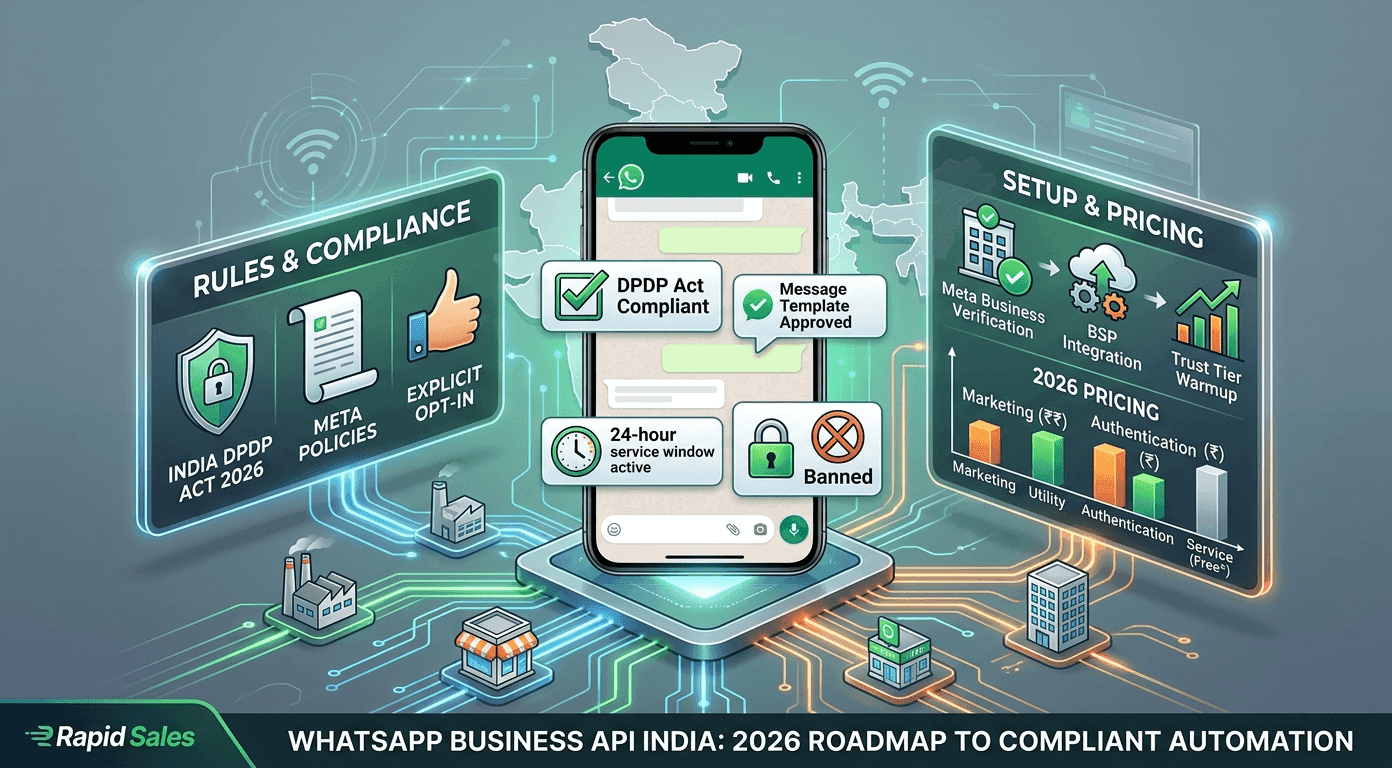
WhatsApp Business API India: Rules, Compliance & Getting Started (2026)
In India, WhatsApp is not just an app; it is the internet. With hundreds of millions of daily active users across the subcontinent, it is the most valuable digital real estate a business can access. But if you have ever tried to scale your outreach by blasting hundreds of messages from your personal phone, you likely ran into a brick wall: the dreaded permanent number ban.
As we move deeper into 2026, Meta’s anti-spam algorithms—combined with India's strict Digital Personal Data Protection (DPDP) Act—have made one thing clear: the era of hacking your way to WhatsApp growth is over.
If you want to scale your sales, automate abandoned cart recoveries, and qualify B2B leads via chat, you must migrate to the WhatsApp Business API. This complete guide breaks down exactly what the API is, the non-negotiable compliance rules for the Indian market, how pricing works in 2026, and how to get started safely.
WhatsApp Business App vs. WhatsApp Business API: What’s the Difference?
Before diving into compliance, you must understand the technological difference between the tools available.
The WhatsApp Business App: This is the free app you download from the Google Play or Apple App Store. It is designed for micro-businesses (e.g., a local bakery or solo consultant). It is tied to a single device (with limited linked devices), relies on manual typing or basic quick replies, and strictly limits broadcast lists to 256 saved contacts.
The WhatsApp Business API: The API has no front-end interface or app icon on your phone. It is a backend infrastructure designed by Meta for medium to large enterprises. It allows you to connect your WhatsApp number to professional automation software (like Rapid Sales or CRMs), enabling you to send tens of thousands of automated messages a day, integrate AI chatbots, and manage a unified multi-agent inbox.
Using unauthorized "bulk sender" Chrome extensions on the free app violates Meta’s Terms of Service and guarantees a ban. The API is the only legal, sanctioned way to scale.
Core Compliance Rules for India in 2026
Migrating to the WhatsApp Business API does not give you a license to spam. Meta tightly controls the ecosystem to ensure users do not start hating the platform. Furthermore, Indian businesses must align their practices with national data privacy laws.
1. The Strict Opt-In Rule (and the DPDP Act)
You cannot scrape a database of phone numbers and start messaging them on the API. Under Meta's policies and India's operational Digital Personal Data Protection (DPDP) Act, you must obtain explicit, verifiable consent before sending a business message.
Valid Opt-Ins: A customer ticking a clearly labeled box on your website checkout page, submitting a Facebook Lead Ad with a WhatsApp opt-in disclaimer, or initiating a chat with your business first via a QR code.
Invalid Opt-Ins: Buying a lead list from a data broker, assuming consent because they gave you their number for a delivery, or using pre-checked boxes.
2. Pre-Approved Message Templates
When you initiate a conversation with a customer, you cannot type a free-form message like "Hey, want to buy our new software?" To prevent spam, Meta requires businesses to use Message Templates. You submit your template copy to Meta for review. Once Meta's AI approves the template (ensuring it doesn't contain offensive material or violate commerce policies), you can populate it with dynamic variables (e.g., "Hi {{1}}, your order {{2}} is confirmed.").
3. The 24-Hour Customer Service Window
This is the golden rule of the WhatsApp API. When a customer sends a message to your business, a 24-hour session window opens.
During these 24 hours, you can reply with free-form text, rich media, and AI chatbot responses without needing a pre-approved template, and these "Service" messages are free. Once 24 hours pass since the customer's last message, the window closes. To restart the conversation, you must revert to using a paid, pre-approved Message Template.
Understanding WhatsApp API Pricing in India (2026 Update)
The WhatsApp Business API is not free. In 2026, Meta operates on a per-message or per-conversation billing model, categorized by the intent of the template you are sending. While exact paisa rates fluctuate, the structural tiers remain consistent.
Marketing Conversations
These are your promotional blasts, abandoned cart reminders, upsell offers, and cold outreach templates. Because they carry the highest risk of annoying users, they are the most expensive category (roughly ₹0.80 to ₹1.10+ per message depending on your provider markup).
Utility Conversations
These messages confirm specific, agreed-upon transactions. Examples include post-purchase delivery updates, billing statements, and appointment reminders. Meta prices these significantly lower than Marketing messages (often around ₹0.10 to ₹0.15) because they are highly anticipated by the user.
Authentication & Service Conversations
- Authentication: These are purely for One-Time Passwords (OTPs) and account recovery codes. They are priced similarly to Utility messages.
- Service: If a user messages you and you reply within the 24-hour window, the conversation is considered a "Service" conversation and is generally free of Meta's base charges.
Note: You will pay Meta's base rate plus any minor markup or monthly platform fee charged by your chosen automation software.
How to Get Started with the WhatsApp Business API
Setting up the API used to take weeks; today, the process takes only a few days if you have your documents in order.
Step 1: Business Verification via Meta
Before you can send thousands of messages, Meta needs to know you are a real, registered Indian business. You will need to log into your Meta Business Manager and submit your GST Certificate, Certificate of Incorporation, or utility bills matching your legal business name and address.
Step 2: Choose a Business Solution Provider (BSP) or Automation Platform
Because the API has no visual interface, you cannot use it without software. You need to partner with an automation platform that integrates directly with the Meta API. The platform will provide the dashboard where you build your chat flows, design your templates, and monitor analytics.
Step 3: Warm Up Your Trust Tier
When your number is approved, Meta places you in Tier 1, limiting you to initiating conversations with 1,000 unique customers per 24 hours. Do not blast 1,000 cold leads on day one. Send highly relevant updates to existing customers to generate positive replies. As you consistently send messages without getting blocked, Meta will automatically upgrade you to Tier 2 (10,000 users), Tier 3 (100,000 users), and eventually an unlimited tier.
Why Rapid Sales is the Ultimate WhatsApp Automation Partner
Navigating template approvals, opt-in compliance, and 24-hour windows is overwhelming if you are trying to manage it manually. Rapid Sales is built to make this effortless.
Rapid Sales is a unified Tri-Channel outbound platform natively integrated with the WhatsApp Business API.
Seamless Approvals: Create and submit your WhatsApp templates directly from our dashboard.
Stop-on-Reply Automation: If you send an automated Marketing message and the prospect replies, Rapid Sales instantly halts the automated sequence, ensuring you never spam an engaged buyer.
Tri-Channel Orchestration: Don't rely solely on WhatsApp. Rapid Sales allows you to weave Email, AI Voice Calls, and WhatsApp into a single, intelligent workflow, dramatically lowering your customer acquisition costs.
Conclusion
The WhatsApp Business API is the most powerful sales and engagement tool available to Indian businesses in 2026. However, it requires a mindset shift. You are no longer just "sending texts"; you are operating an enterprise communication channel governed by strict Meta policies and national data laws.
By adhering to the opt-in rules, mastering the template categories, and utilizing smart automation software, you can eliminate the fear of number bans and turn WhatsApp into a predictable, highly profitable revenue engine.
Ready to automate your WhatsApp outreach the right way? Book a Demo Now and secure your API access.