15 WhatsApp Message Templates for B2B Sales in India (2026)
In the Indian B2B landscape, email is where deals are formally documented, but WhatsApp is where deals are actually won.
Whether you are selling enterprise SaaS, manufacturing machinery, or corporate consulting services, Indian decision-makers are notoriously difficult to reach via a cold phone call and often ignore cold emails. However, a well-timed, professional WhatsApp message can bypass the gatekeepers and land directly on a CEO's locked screen.
But scaling this process in 2026 requires the official Meta WhatsApp Business API. You cannot just type whatever you want and blast it to 1,000 prospects; you must use pre-approved Message Templates.
To help you build a compliant, high-converting outbound engine, we have curated 15 proven WhatsApp message templates across five critical B2B sales stages. You can copy, customize, and submit these directly to Meta for approval.
The Rules of Meta-Approved WhatsApp Templates
Before sending, you must format your templates correctly for the API:
- Variables: Use {{1}}, {{2}}, etc., as placeholders for dynamic text like names, company names, or meeting times.
- Buttons: Always utilize Meta’s interactive buttons (Quick Replies like "Yes" / "No" or Call-to-Action buttons like "Book Meeting"). Buttons drastically increase B2B reply rates compared to asking the prospect to type out an answer.
- Stop on Reply: If you are using automation software, ensure you have "Stop on Reply" logic enabled so you don't spam a prospect who has already answered.
Category 1: Inbound Lead Qualification (Speed to Lead)
When a B2B prospect fills out a form on your website or LinkedIn Lead Ad, your response time must be under 5 minutes. Use these utility/marketing templates to instantly qualify them.
1. The Content Download Follow-Up
"Hi {{1}}, thanks for downloading our recent guide on {{2}}. I hope you found the strategies useful! Are you currently evaluating tools to help your team with {{3}}?
[Button 1: Yes, let's chat]
[Button 2: Just researching]"
2. The Demo Request Confirmation
"Hello {{1}}, we received your request for a demo of {{2}}. We are excited to show you how we can help {{3}} scale. Please select a time that works for you from the link below.
[Button: Pick a Time]" (Link to Calendly/CRM scheduler)
3. The Direct Intent Qualifier
"Hi {{1}}, thanks for visiting our pricing page today. I’m the account manager for the {{2}} region. Do you have 2 minutes for a quick chat to see if our enterprise plan is the right fit for your team?
[Button 1: Yes, call me]
[Button 2: Send pricing PDF]"
Category 2: Event & Webinar Follow-Ups (Warm Outreach)
Conferences and webinars generate massive lists. WhatsApp is the fastest way to turn those event scans into booked meetings.
4. The Post-Webinar Value Add
"Hi {{1}}, great to see you at our webinar on {{2}} yesterday. As promised, here is the link to the recording and the presentation deck: {{3}}. Would you be open to a brief introductory call next week?
[Button 1: Yes, let's schedule]
[Button 2: Not right now]"
5. The Trade Show Booth Scan
"Hello {{1}}, it was great meeting you at the {{2}} Expo in Mumbai! You mentioned your team was struggling with {{3}}. I've put together a brief case study on how we solved this for a similar company. Can I send the PDF here?
[Button 1: Yes, please send]
[Button 2: No thanks]"
6. The "Missed You" Event Follow-Up
"Hi {{1}}, sorry we missed each other at {{2}} this week. We were showcasing our new {{3}} module that reduces operational costs by 20%. Are you open to a brief 10-minute virtual walkthrough this Friday?
[Button 1: Sounds good]
[Button 2: Maybe next quarter]"
Category 3: Outbound & Prospecting (Soft Pitch)
Cold WhatsApp outreach in India is highly effective if done respectfully. Never send a wall of text. Use a soft ask to gauge interest.
7. The Pain-Point Probe
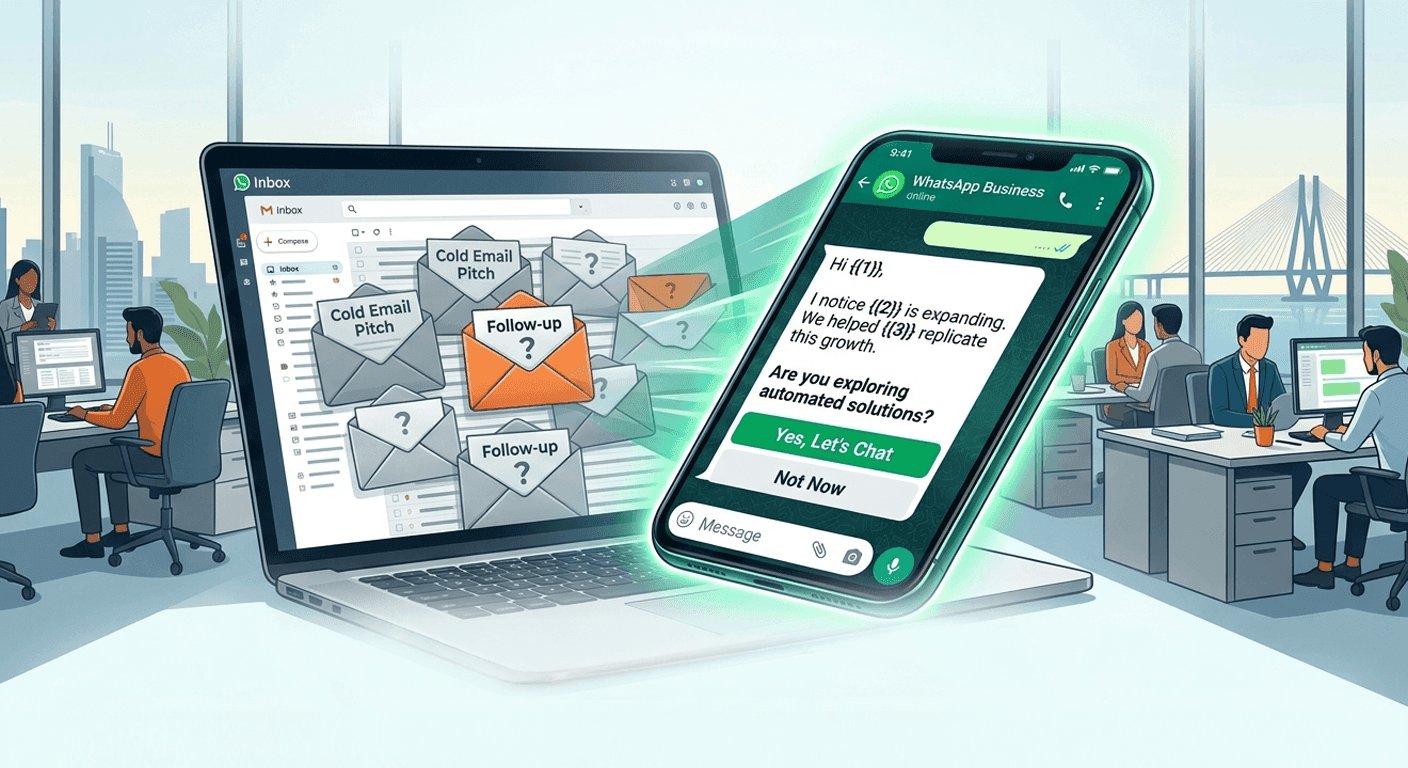
"Hi {{1}}, I notice {{2}} is expanding its operations in {{3}}. Most leaders I speak with in your sector struggle to maintain quality control during rapid scaling. Are you currently exploring automated solutions for this?
[Quick Reply 1: Yes, we are]
[Quick Reply 2: We have a solution]"
8. The Peer Name-Drop (Social Proof)
"Hello {{1}}, we recently helped {{2}}—a company in your industry—increase their lead conversion by 35% using our AI platform. I have a few ideas on how we could replicate this for {{3}}. Open to a quick 5-minute chat?
[Quick Reply 1: Let's talk]
[Quick Reply 2: Not a priority]"
9. The Direct Value Proposition
"Hi {{1}}, I’ll keep this brief. We help B2B companies like {{2}} automate their top-of-funnel sales without adding headcount. If this aligns with your Q3 goals, I’d love to share a 2-minute demo video. Should I send it over?
[Button 1: Send the video]
[Button 2: Opt-out]"
Category 4: Meeting Reminders & No-Show Recovery
B2B no-show rates can kill your pipeline. Use utility templates to ensure your prospects actually show up to the Zoom or Google Meet.
10. The 24-Hour Reminder
"Hi {{1}}, this is a friendly reminder for our strategy call tomorrow at {{2}}. We will be discussing how {{3}} can optimize your workflow. Here is the meeting link: {{4}}.
[Button 1: Confirming attendance]
[Button 2: Need to reschedule]"
11. The "10 Minutes Prior" Push
"Hello {{1}}, we are jumping on our call in 10 minutes! Looking forward to learning more about {{2}}. You can join directly via this link: {{3}}. See you shortly!"
12. The No-Show Recovery
"Hi {{1}}, it looks like we missed each other on our call today. I know things get incredibly busy. Would you like to reschedule for later this week, or should I just send over a brief video summary of what we planned to discuss?
[Button 1: Reschedule]
[Button 2: Send video summary]"
Category 5: Re-Engaging Dead Pipeline
Deals stall. WhatsApp is the perfect low-pressure channel to revive prospects who "went dark" over email.
13. The Feature Update Revival
"Hi {{1}}, it’s been a while since we last spoke about {{2}}. We just launched a highly requested feature: {{3}}. Since this was a priority for your team, I thought you’d want to know. Are you still evaluating vendors in this space?
[Button 1: Yes, let's reconnect]
[Button 2: Project is on hold]"
14. The "Closing the File" Takeaway
"Hello {{1}}, I am currently updating my pipeline for the quarter. Since I haven't heard back regarding the proposal for {{2}}, should I assume this project is paused for now and close your file?
[Button 1: Yes, please close]
[Button 2: No, let's catch up]"
15. The New Quarter Check-In
"Hi {{1}}, happy new quarter! When we spoke in {{2}}, you mentioned that budget approvals might open up now. Is {{3}} still a priority for your team this quarter?
[Quick Reply 1: Yes, let's talk]
[Quick Reply 2: Pushed to next year]"
How to Automate These Templates with Rapid Sales
Copying these templates into the WhatsApp API is step one. But what happens if the prospect doesn't reply? In B2B sales, a single WhatsApp message rarely closes a massive enterprise deal.
To maximize your ROI, you need Rapid Sales.
Rapid Sales is an AI-powered Tri-Channel outbound platform built for the Indian market. We allow you to seamlessly upload these exact templates into your approved Meta API dashboard. But more importantly, Rapid Sales orchestrates the follow-up.
If your prospect doesn't reply to template #7 on Tuesday, Rapid Sales can automatically trigger an AI Voice agent (speaking fluent Hindi or English) to call them on Thursday, referencing the unread message.
With built-in "Stop on Reply" logic and a Unified Lead Timeline, Rapid Sales ensures you stay persistent without ever crossing the line into spam.
Conclusion
WhatsApp is the ultimate B2B sales accelerator in India, provided you use it correctly. By utilizing Meta-approved templates with clear variables and interactive buttons, you can engage decision-makers instantly, reduce your meeting no-show rates, and revive dead pipeline.
Stop relying on emails that end up in the spam folder and manual texts that get your number banned. Adopt a professional, API-driven template strategy and watch your B2B conversion rates soar.
Ready to automate your B2B WhatsApp templates and AI voice outreach? Book a Demo Now and build your ultimate outbound engine.